Memory Flow Chart
Context Window
Context Window란?
AI 모델이 한 번에 처리할 수 있는 입력 텍스트의 최대 양
Context Window란? AI 모델이 한 번에 처리할 수 있는 입력 텍스트의 최대 양
- refence: https://docs.anthropic.com/en/docs/build-with-claude/context-windows#the-context-window-with-extended-thinking
- 200K Token이 Max Token 입니다.
$$ context\_window = (input\_tokens - previous\_thinking\_tokens) + current\_turn\_tokens $$
- Normal Ver. V.S. Extended Thinking Ver.
더보기
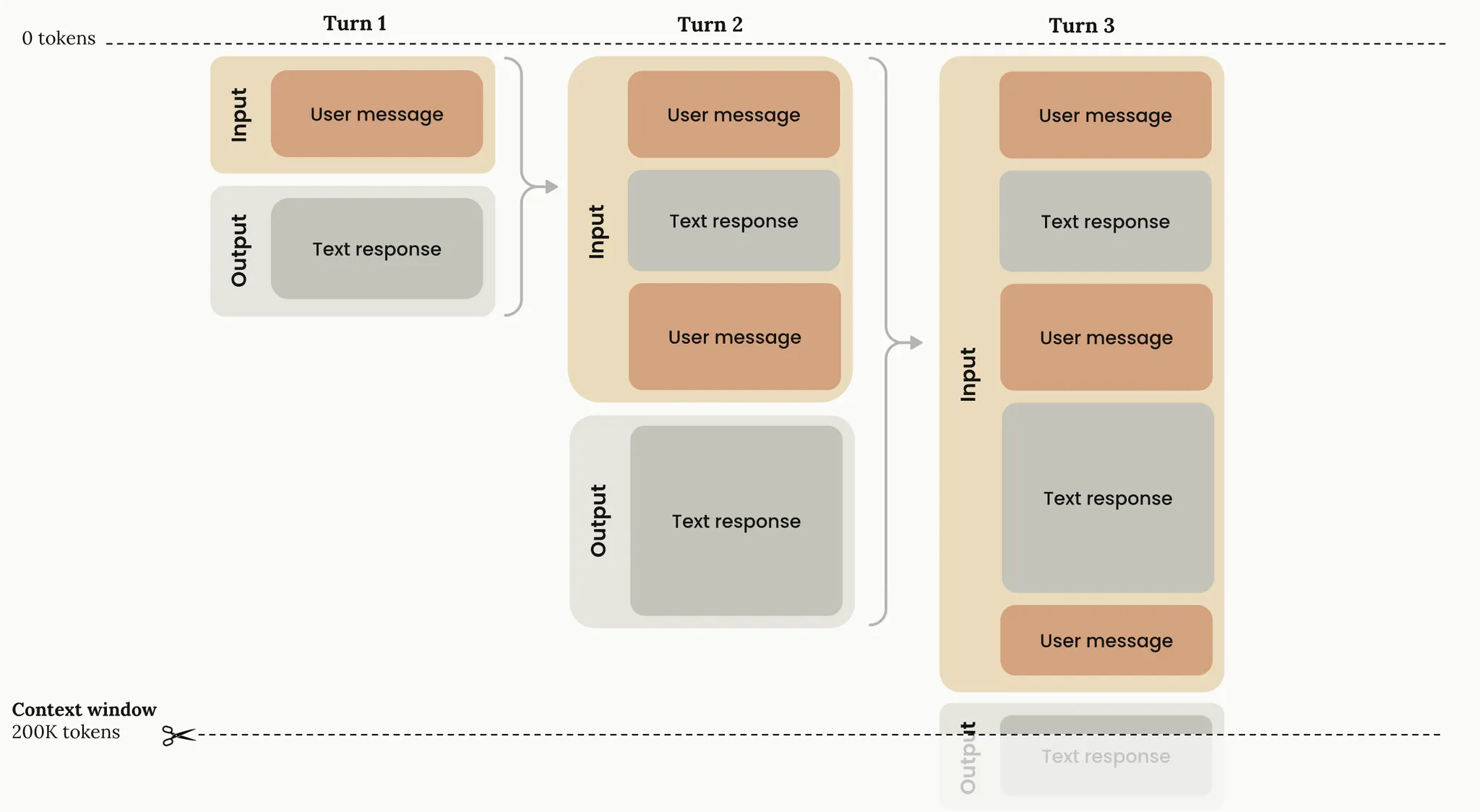

- Normal Ver.
- Extended Thinking Ver.
- 이전의 Thinking Token은 History에 포함시키지 않습니다.
- Extended Thinking Ver. 사용법
- think hard 와 같은 표현 사용
> think about how we should architect the new payment service
> think hard about the edge cases in our authentication flow
- Context Window가 다 차면 history 유실 및 축약 진행됩니다.
- 우측 하단에 `context left until auto-compact 5%` 와 같이 남은 Context 양이 적힙니다.
Auto-compact Event
Auto-compact Event란?
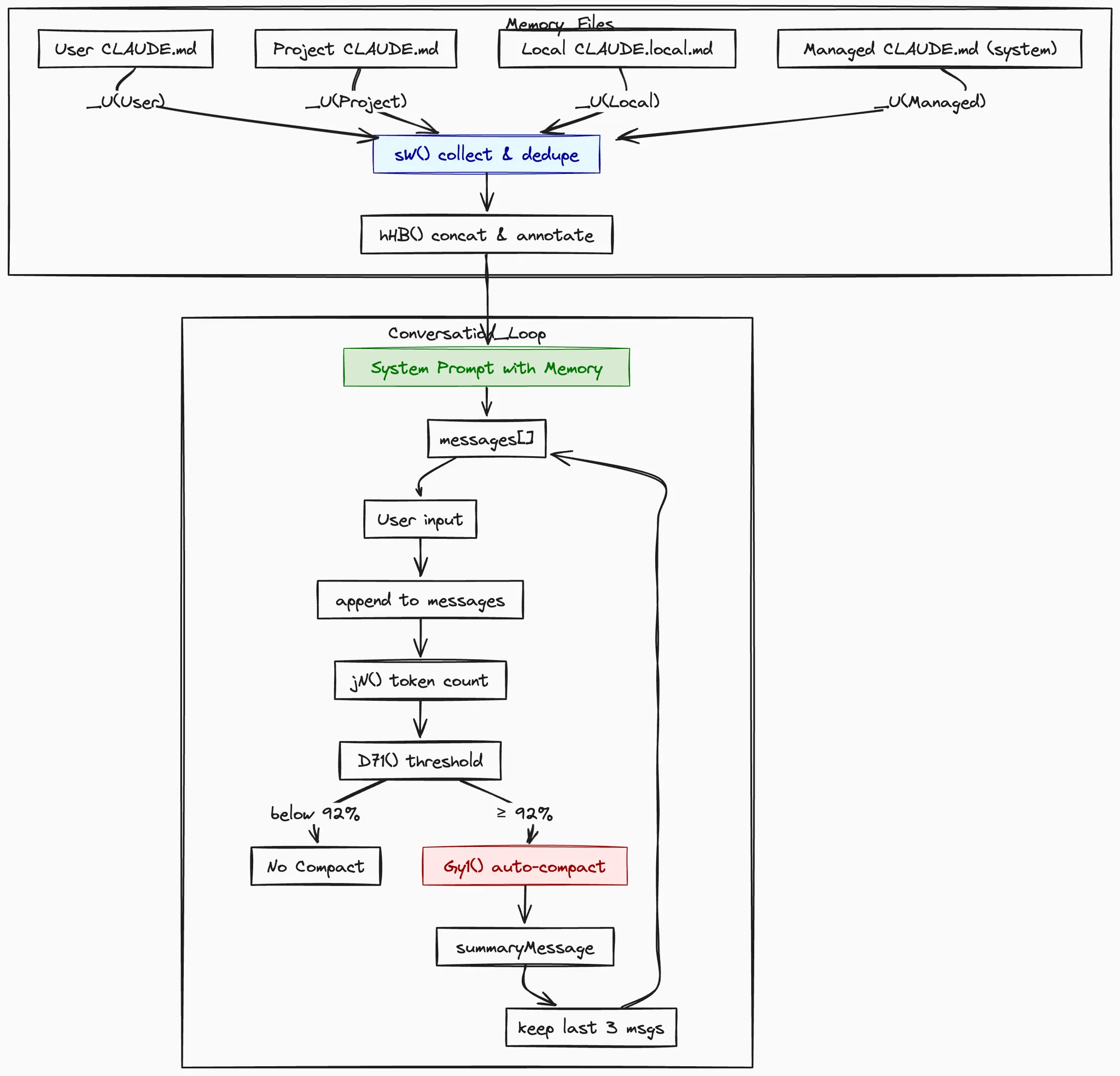
Auto-compact Event란 Claude Code에서 Context Window가 특정 임계값(92%)에 도달했을 때 대화 기록을 자동으로 압축하는 기능입니다. ( /compact )
- reference: lib/node_modules/@anthropic-ai/claude-code
- 작동 방식
- 토큰 집계 및 임계치 검사
- 대화 메시지 총 토큰 계산 + 92% 이상이면 auto-compact 트리거
- 대화 내용 50자로 요약
- POST <https://api.anthropic.com/v1/messages>
- claude-3-5-haiku-20241022 로 요약 ( 대화 할 때는 Sonnet 4 )
- Prompt
- This session is being continued from a previous conversation that ran out of context. The conversation is summarized below:
- Summarize this coding conversation in under 50 characters.
- 최근 메시지 3 턴 보존
- code
- const KEEP = 3;// WE0 & CE0 = 3const recent = origMessages.slice(-KEEP);
- const newHistory = [ summaryMessage, ...recent ];
- code
- 완성된 요약문 (예시)
- 토큰 집계 및 임계치 검사
[
  { "role":"assistant",  "content":[{ "type":"text","text":"### Summary of previous conversation\n ..." }]},
  { "role":"user",       "content":[{ "type":"text","text":"…최근 1…" }]},
  { "role":"assistant",  "content":[{ "type":"text","text":"…최근 2…" }]},
  { "role":"user",       "content":[{ "type":"text","text":"…최근 3…" }]}
]
Project Memory & User Memory
Project Memory & User Memory란?
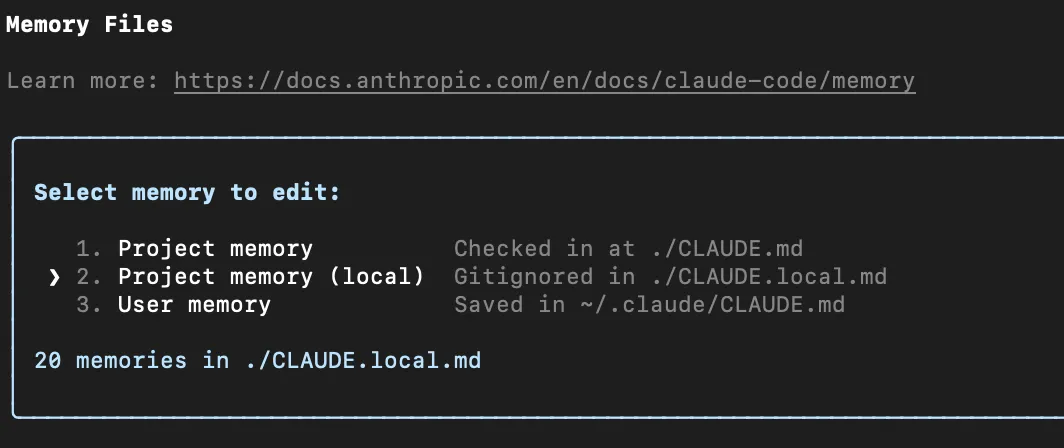
AI 모델이 장기적으로 프로젝트와 사용자 정보를 기억하도록 하는 메커니즘 입니다. 대화 품질과 일관성을 높이기 위해 사용됩니다. (/memory)
- reference: lib/node_modules/@anthropic-ai/claude-code
- type
| 타입 | 실제 경로 예시 |
| User | ~/.claude/CLAUDE.md |
| Project | ./CLAUDE.md |
| Local | ./CLAUDE.local.md |
| Managed | 시스템 전역 CLAUDE.md 개념 |
| ExperimentalUltraClaudeMd | ( 실제 구현은 안됨. 실험적인 파일) |
| nasted_memory | 사용자가 @path/to/file.ext 처럼 파일 참조를 걸 경우 |
- Example
- [{path:"/abs/CLAUDE.md", content:"…", type:"Project"}, …]
- Prompt 구성
- System Msg + Summary + 3 recent Msg + user Msg
- 마크 다운 형태로 메모리를 프롬프트에 주입
회고 & Tips
- /memory 명령어를 통해 메모리 관리를 잘 하자.
- 사용하지 않을 경우, auto-compact로 히스토리 유실
- claude-3-5-haiku 로 한 줄 요약 + 최근 턴 3 개 만 남는다.
- auto-compact를 끌 수도 있지만, 이러면 토큰 낭비가 심하다.
- Project Memory & User Memory 간에 Prompt에 적용되는 방식에는 차이가 없다. 둘다 절차적 메모리, 다만 사용 용도에 의해 분리 되었다.
- Project Memory
- 특히 DB 관련 작업 시, Project Memory에 스키마 등을 작성해놓으면 좋다.
- 유의해야할 체크리스트, 이루어야할 목표 등을 작성한다.
- 작업 진행하다가, 작업한 히스토리 정리해서 project memory에 복붙할 수 있도록 내용 정리해달라고 하면 잘 정리해준다. ( summary를 sonnet 4 모델로 하는 셈 )
- git 관리가 되니 버전 관리가 용이하다.
- User memory
- 개인의 선호도 등을 반영할 수 있다.
- Privacy 한 내용을 작성 용이
- 사용하지 않을 경우, auto-compact로 히스토리 유실
추가) Plan & Excute Mode
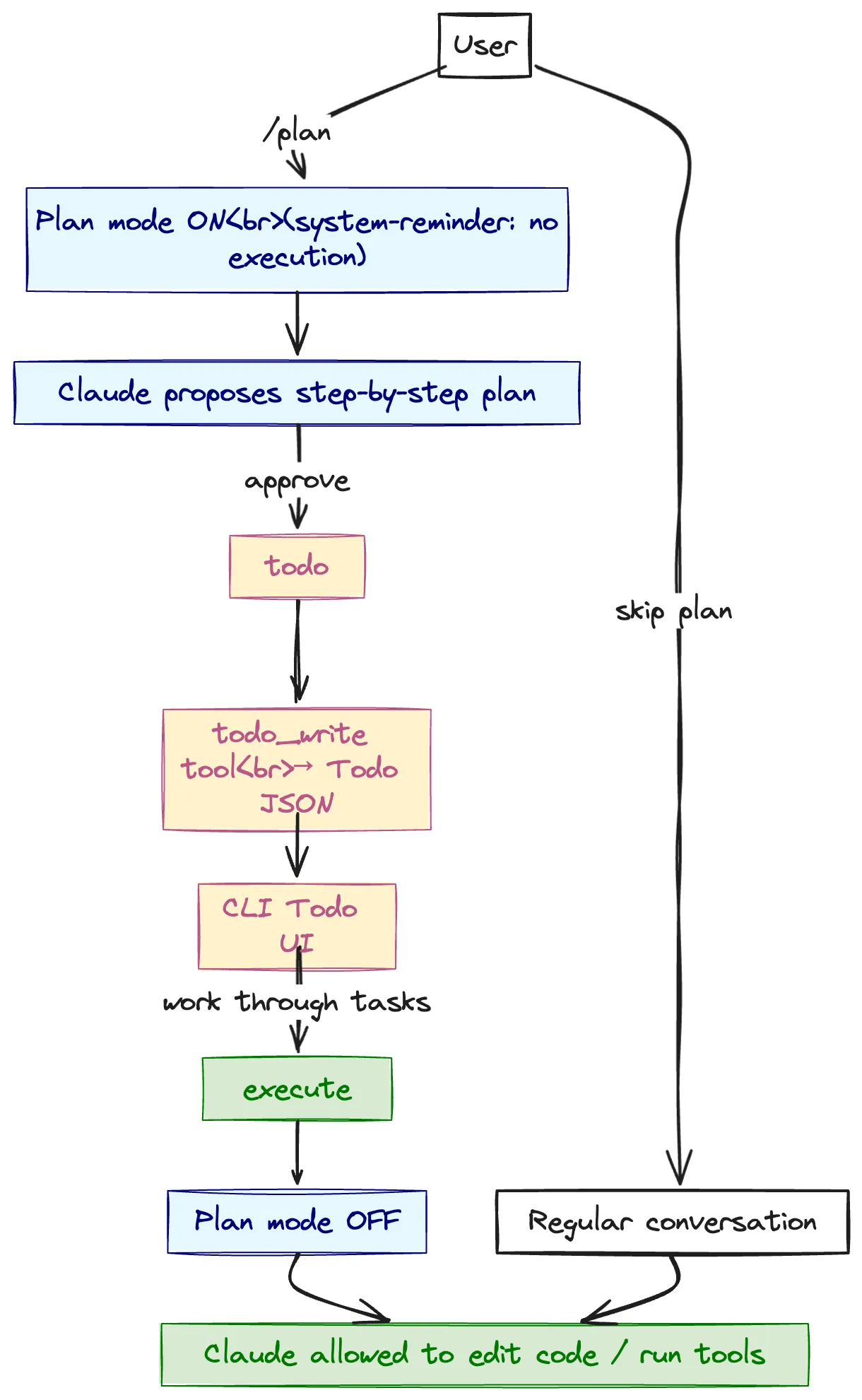
- plan_mode tool-result block
<system-reminder>
Plan mode is active. The user indicated that they do not want you
to execute yet — you MUST NOT make any edits, run any
non-read-only tools (including code edits, terminal commands, etc.).
Instead, propose a step-by-step plan first.  …
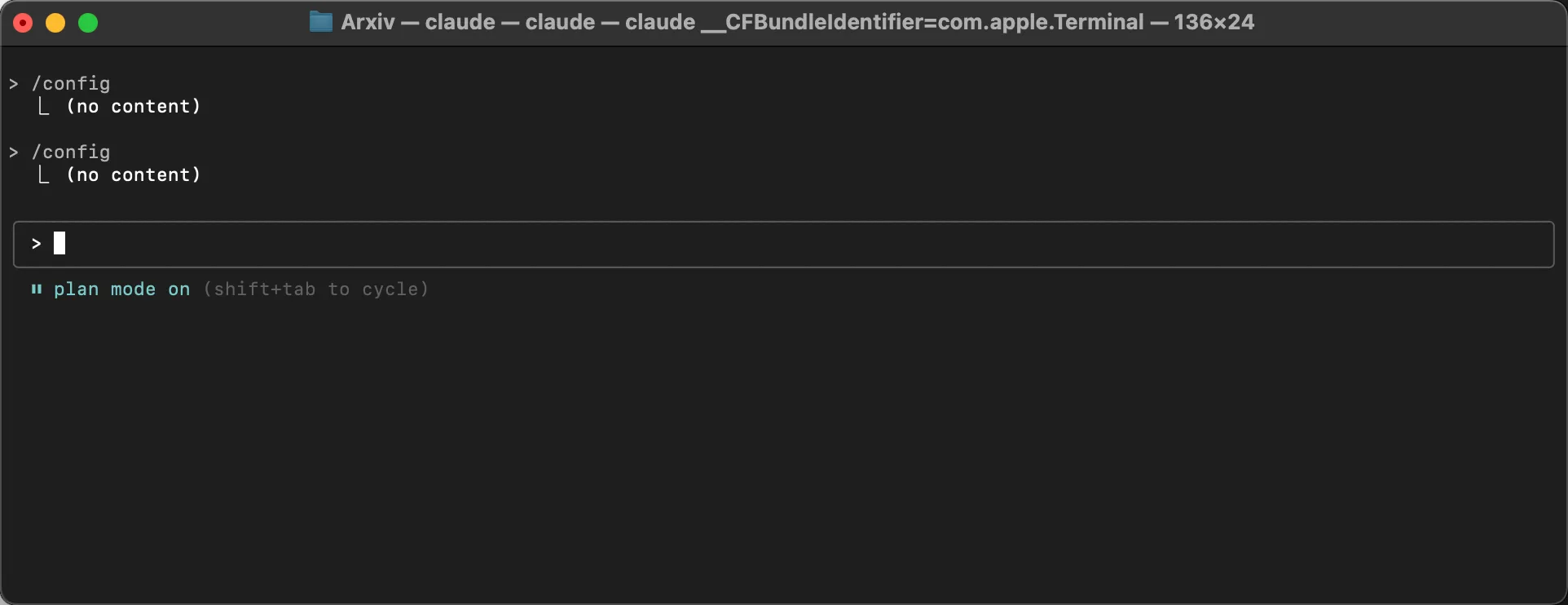
- plan mode 진입
- shift + tab 누르면 모드가 바뀝니다.
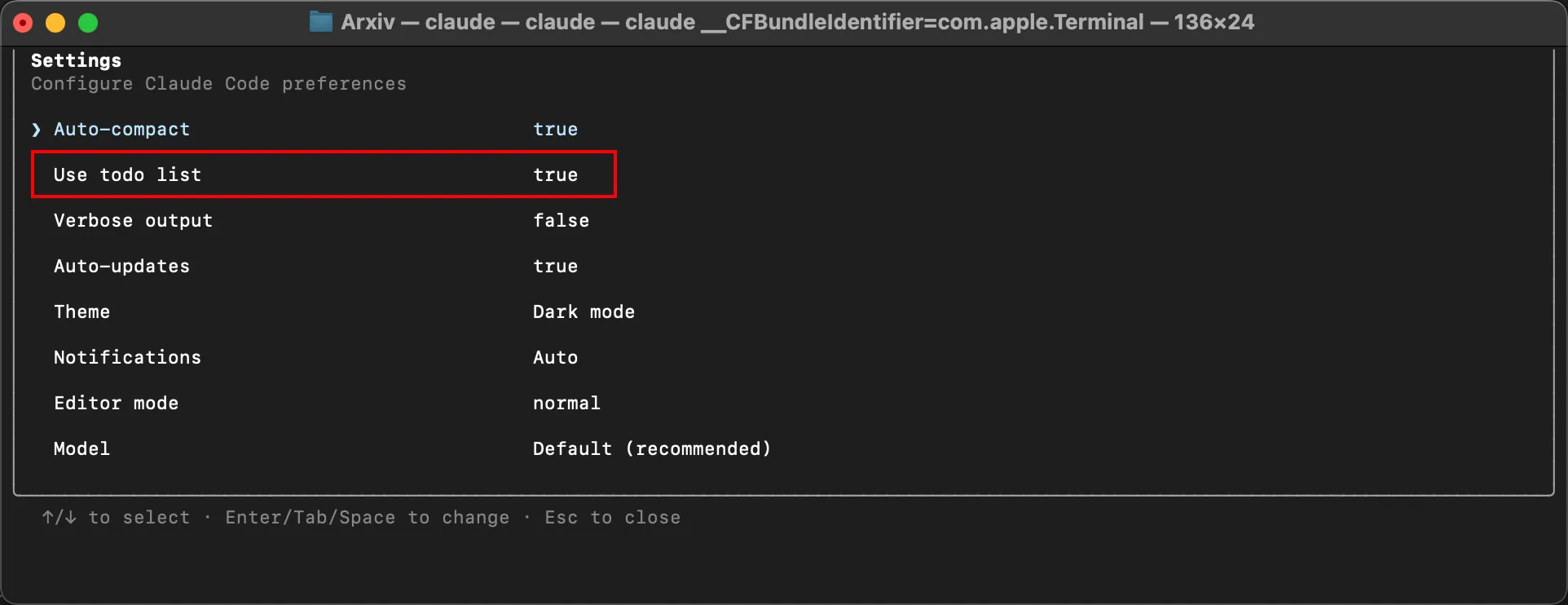
- to do list 생성
- /config 를 보시면 todo list 가 활성화 되어있는걸 확인할 수 있습니다.
- 메타 프롬프팅
다음 작업을 위한 최적의 프롬프트를 생성해 줘

<task>
React 컴포넌트 성능 최적화
</task>

<output_requirements>
1. 구체적이고 실행 가능한 프롬프트
2. 단계별 분석 절차 포함
3. 성능 측정 방법 명시
4. 검증 기준 제시
</output_requirements>

이 정보를 바탕으로 성능 최적화를 위한 완벽한 프롬프트를 설계해 줘
'근황 토크 및 자유게시판' 카테고리의 다른 글
| 무료 클라우드 서버 분양 방법 (Feat. Oracle Cloud) (0) | 2025.05.03 |
|---|---|
| [Teddy Note 주주총회] 가슴으로 이해하는 Agent, MCP, A2A (2) | 2025.04.30 |
| [파이썬 의존성 관리] UV 설치 및 사용 (1) | 2025.04.28 |
| Prompt Engineering 기법 ( feat. Google 백서 for gemini ) (0) | 2025.04.24 |
| 내일, 네이버 1차 기술 면접을 봅니다. (2) | 2025.04.15 |